
Vellum vs Atticus for Book Formatting: Which Is Worth It for Indie Authors in 2026?
Vellum vs Atticus is a critical decision for indie authors seeking professional book formatting in 2026, with both tools offering distinct advantages. Vellum remains the gold standard for Mac users, lauded for its intuitive design and stunning output, while Atticus has rapidly emerged as a powerful, cross-platform alternative, boasting a more comprehensive feature set for writing, editing, and formatting.
This article contains Amazon affiliate links. If you purchase through them, Taciturn Studios earns a small commission at no extra cost to you.
Vellum vs Atticus for Book Formatting: Which Is Worth It for Indie Authors in 2026?
Vellum vs Atticus is a critical decision for indie authors seeking professional book formatting in 2026, with both tools offering distinct advantages. Vellum remains the gold standard for Mac users, lauded for its intuitive design and stunning output, while Atticus has rapidly emerged as a powerful, cross-platform alternative, boasting a more comprehensive feature set for writing, editing, and formatting. The "worth it" factor hinges on your operating system, budget, workflow preferences, and whether you prioritize simplicity or an all-in-one solution for your publishing journey.
Table of Contents
- The Crucial Role of Professional Book Formatting in 2026
- Vellum: The Mac-Exclusive Formatting Powerhouse
- Atticus: The All-in-One Cross-Platform Contender
- A Head-to-Head Comparison: Vellum vs. Atticus in 2026
- Choosing Your Champion: A Decision Framework for Indie Authors
- Beyond Formatting: Maximizing Your Publishing Success
The Crucial Role of Professional Book Formatting in 2026
In the increasingly crowded landscape of self-publishing, the quality of your book's interior formatting isn't just a nicety; it's a necessity. As we move further into 2026, reader expectations for professionally presented books, whether digital or print, have never been higher. A poorly formatted book screams "amateur" before a single word is even read, potentially costing you sales and damaging your author brand. Conversely, a beautifully laid-out book enhances the reading experience, builds trust, and encourages readers to explore your entire catalog.
Why First Impressions Still Matter More Than Ever
Imagine walking into a bookstore (or browsing an online retailer) and picking up a book with inconsistent fonts, awkward line spacing, or chapters that start on random pages. Your immediate reaction would likely be one of skepticism, if not outright dismissal. The same principle applies, perhaps even more stringently, in the digital realm. Readers are accustomed to the polished output of traditional publishers. When they encounter an indie book, they expect that same level of professionalism. A clean, readable, and aesthetically pleasing interior signals that you, the author, care about your craft and respect your readers' time and money. It's the silent handshake before the conversation begins, setting the tone for the entire reading experience. In 2026, with millions of books vying for attention, this first impression is often the only chance you get.
Beyond Aesthetics: The Technical Demands of Modern Publishing
Professional formatting isn't just about making your book look pretty; it's about making it functional across a myriad of devices and platforms. Ebooks, in particular, require meticulous attention to detail to ensure they reflow correctly on different screen sizes, from a small smartphone to a large tablet or e-reader. Incorrect headings, improper paragraph styles, or poorly embedded images can lead to a frustrating reading experience, resulting in negative reviews and returns. Print books have their own set of technical demands, including correct margins, bleed settings, gutter allowances, and page numbering. Formatting software like Vellum and Atticus are designed to handle these complexities, generating clean, compliant files (EPUB, MOBI, PDF) that meet the specifications of major retailers like Amazon Kindle, Apple Books, Kobo, and IngramSpark. Relying on basic word processors for these tasks is a recipe for technical headaches and publishing delays.
The Indie Author's Dilemma: DIY vs. Professional Services
For many indie authors, the decision boils down to whether to invest in professional formatting services or to tackle the task themselves using specialized software. Hiring a professional formatter can range from $200 to $1000+ per book, depending on complexity and length. While this guarantees a high-quality result, it's a significant upfront cost, especially for authors publishing multiple titles or on a tight budget. This is where tools like Vellum and Atticus shine. They empower authors to achieve professional-grade formatting at a fraction of the cost, after the initial software purchase. The dilemma then becomes: which tool offers the best balance of features, ease of use, and value for your specific needs? Understanding their capabilities and limitations is key to making an informed choice that supports your long-term publishing strategy.
📚 Recommended Resource: Your First 10,000 Readers by Nick Stephenson Learn actionable strategies for building your author platform and connecting with readers, a crucial step after you've formatted your book. [Amazon link: https://www.amazon.com/dp/1733028609?tag=seperts-20]
Vellum: The Mac-Exclusive Formatting Powerhouse
Vellum, developed by 18Fingers, has long been considered the gold standard for indie authors who own a Mac. Since its launch, it has garnered a reputation for producing exceptionally beautiful and clean ebook and print book files with remarkable ease. Its focus is singular: formatting. It doesn't attempt to be a writing or editing tool, but rather excels at taking your finished manuscript and transforming it into a polished, publish-ready book.
Key Features and User Experience
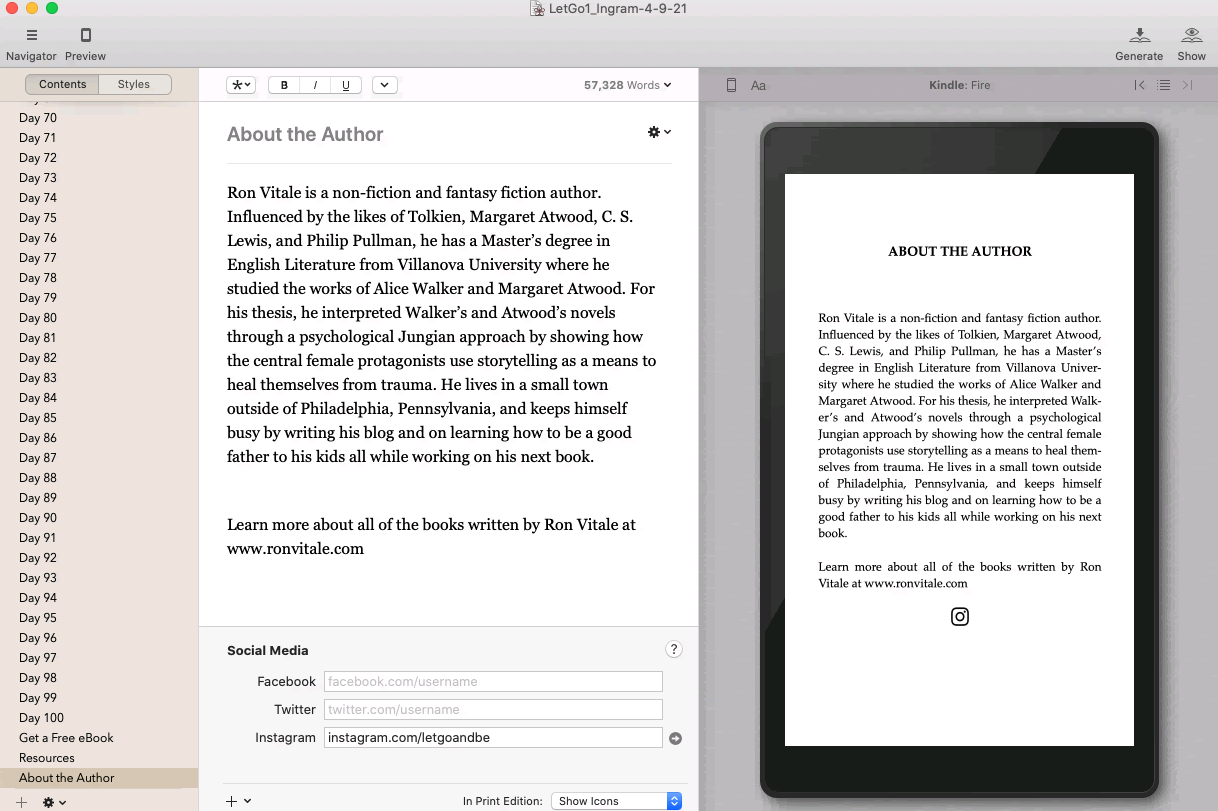
Vellum's interface is arguably its greatest strength. It’s clean, intuitive, and designed with the author in mind. You import your manuscript (typically a .docx file), and Vellum intelligently identifies chapters, headings, and other structural elements. From there, you can choose from a variety of pre-designed "Styles" (themes) that dictate the look of your chapter headings, first paragraphs, scene breaks, and more. Customization is straightforward, allowing you to tweak fonts, ornamental breaks, and even add custom elements like a "Also By" page or a dedication.
The real magic happens in the preview pane, which updates in real-time. You can instantly see how your book will look on various devices (Kindle Paperwhite, iPad, iPhone, etc.) and in print. This immediate feedback loop makes adjustments incredibly easy. Generating files is a one-click process, producing perfectly optimized EPUB, MOBI, and PDF files ready for upload to any major retailer or print-on-demand service. Vellum handles all the technical nuances, from embedding fonts to generating a clickable table of contents, without you needing to understand the underlying code.
Strengths: Simplicity, Elegance, and Speed
- Unparalleled Ease of Use: Even authors who are not tech-savvy can produce professional-looking books within minutes of importing their manuscript. The drag-and-drop functionality and clear visual feedback make the process almost enjoyable.
- Stunning Output Quality: Vellum's pre-designed styles are aesthetically pleasing and highly readable. The generated files are consistently clean, error-free, and meet the stringent requirements of all major publishing platforms. The typography is exquisite, making for a truly enjoyable reading experience.
- Time-Saving Efficiency: For authors publishing multiple books, Vellum is a massive time-saver. Once you've formatted one book, applying the same style to subsequent books is incredibly fast. Updates or corrections are also simple to implement and re-export.
- Excellent Print Book Generation: Vellum excels at creating print-ready PDFs, handling complex elements like drop caps, custom page numbering, and proper margins for various trim sizes with aplomb.
Limitations: Mac-Only and Price Point
- Mac-Exclusive: This is Vellum's most significant limitation. If you don't own a Mac, Vellum is simply not an option. There are no plans for a Windows or web-based version. This immediately excludes a large portion of the indie author community.
- High Upfront Cost: Vellum isn't cheap. As of 2026, the cost for both ebook and print formatting capabilities typically hovers around $250-$300 for a lifetime license. While this is a one-time fee and pays for itself over multiple books, it can be a barrier for new authors on a tight budget.
- Limited Customization (for advanced users): While the pre-designed styles are beautiful, authors looking for highly unique or bespoke designs might find Vellum a bit restrictive. You can't import custom fonts or deeply tweak CSS elements, which might frustrate designers or those with very specific branding needs.
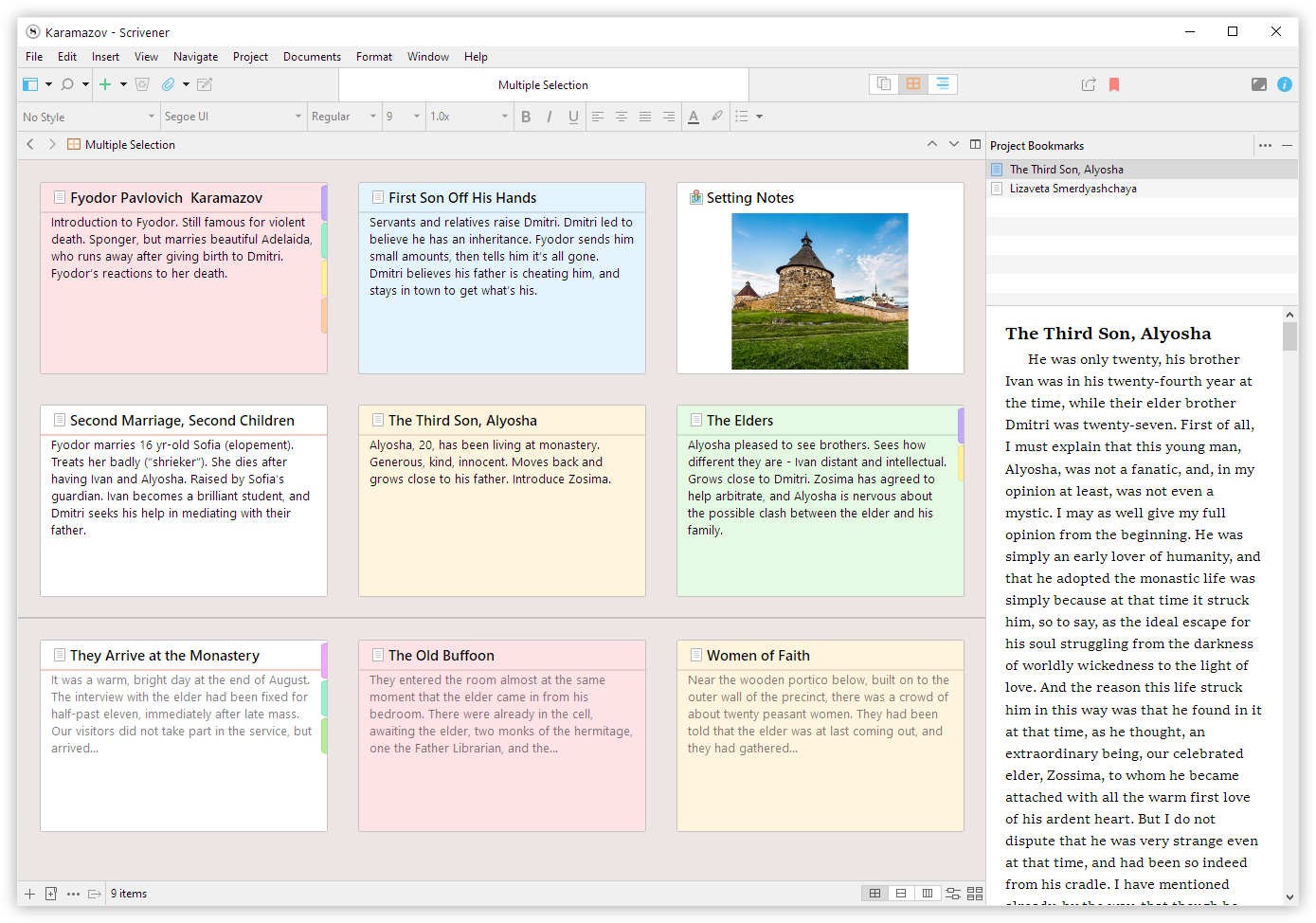
- No Writing/Editing Features: Vellum is purely a formatting tool. You'll need to complete your manuscript in another program (like Scrivener or MS Word) before importing it.
Atticus: The All-in-One Cross-Platform Contender
Atticus, created by the team behind Publisher Rocket (Dave Chesson), burst onto the scene as a direct competitor to Vellum, specifically targeting the cross-platform gap. Launched with the ambitious goal of being an all-in-one writing, editing, and formatting solution, Atticus has rapidly evolved, adding features and refining its user experience. It's a web-based application, meaning it runs in your browser, making it accessible from any operating system (Windows, Mac, Linux, Chromebook) and even tablets.
Key Features and User Experience
Atticus aims to be a comprehensive tool for authors. Beyond formatting, it includes a full-featured writing environment, allowing you to draft your manuscript directly within the application. It offers chapter organization, goal tracking, and distraction-free writing modes. For formatting, Atticus provides a range of themes and customizable elements, similar to Vellum, but often with more granular control over specific design aspects like font choices, paragraph spacing, and scene break ornaments.
The user interface is generally clean, though perhaps not as immediately intuitive as Vellum's for pure formatting. The learning curve is slightly steeper due to the broader range of features. However, its web-based nature means automatic updates and accessibility from anywhere with an internet connection. Atticus also offers robust print book formatting, handling various trim sizes, custom elements, and generating print-ready PDFs. Its continuous development cycle means new features and improvements are rolled out regularly, making it a dynamic and future-proof choice.
📚 Recommended Resource: Scrivener 3 (Writing Software) While Atticus offers writing features, many authors prefer dedicated writing software like Scrivener for drafting and organizing complex manuscripts before importing them for formatting. [Amazon link: https://www.amazon.com/dp/B00K0N4L1K?tag=seperts-20]
Strengths: Versatility, Affordability, and Future Potential
- Cross-Platform Accessibility: This is Atticus's killer feature. Whether you use Windows, Mac, Linux, or even an iPad, Atticus works seamlessly in your web browser. This opens up professional formatting to a much wider audience.
- All-in-One Solution: Atticus isn't just a formatter; it's a writing tool, an outlining tool, and increasingly, an editing aid. For authors who prefer to keep their entire workflow in one application, Atticus offers significant convenience.
- Affordable One-Time Price: Atticus typically costs around $197 for a lifetime license, making it more affordable than Vellum while offering cross-platform compatibility and a broader feature set. This represents excellent value, especially for authors on a budget.
- Continuous Development: The Atticus team is highly responsive to user feedback and consistently rolls out updates, new features, and improvements. This means the software is always evolving and getting better, addressing user needs and keeping pace with publishing trends.
- Greater Customization: Atticus generally offers more options for fine-tuning design elements, allowing authors to achieve a more unique look for their books without needing to delve into code.
Limitations: Learning Curve and Design Nuances
- Steeper Learning Curve: While user-friendly, Atticus has more features and a slightly less streamlined formatting-specific workflow than Vellum. New users might take a bit longer to master all its functionalities.
- Design Nuances (Historically): In its earlier iterations, some users felt Atticus's default templates weren't quite as polished or elegant as Vellum's out-of-the-box. However, this gap has significantly narrowed, and Atticus now offers a wide range of beautiful and professional themes.
- Internet Dependency (mostly): As a web-based tool, Atticus primarily requires an internet connection. While it does offer an offline mode, the core experience and saving mechanisms are tied to being online. This can be a minor inconvenience for authors working in areas with unreliable internet.
- Performance (browser-dependent): Being browser-based, its performance can sometimes be influenced by your browser, internet speed, and computer's resources, though this is rarely a significant issue for modern setups.
A Head-to-Head Comparison: Vellum vs. Atticus in 2026
Let's break down how Vellum and Atticus stack up against each other in key areas relevant to indie authors in 2026. This isn't just about features; it's about how those features translate into real-world benefits for your publishing process.
User Interface and Ease of Use
- Vellum: Vellum's UI is renowned for its elegance and simplicity. It's a "what you see is what you get" interface with a clear left-hand navigation pane for your book's structure and a large, real-time preview window. The learning curve is almost non-existent for basic formatting. You import, select a style, maybe tweak a few options, and export. It's designed to get out of your way and let you focus on the aesthetics.
- Atticus: Atticus has a more comprehensive interface, reflecting its all-in-one ambition. It features a writing pane, an outlining tool, and then the formatting options. While well-organized, the sheer number of options can feel a bit more daunting initially. It's still intuitive, but requires a bit more exploration to discover all its capabilities. For authors who want to write and format in the same tool, this integrated approach is a huge plus, but for pure formatting, Vellum still holds a slight edge in immediate ease of use.
Output Quality and Customization Options
| Feature/Aspect | Vellum (Mac) | Atticus (Cross-Platform) |
|---|---|---|
| Ebook Output | Consistently pristine, highly optimized EPUB/MOBI. | Excellent, robust EPUB/MOBI. Rapidly improving. |
| Print Output (PDF) | Industry-leading, flawless print-ready PDFs. | High-quality, professional print-ready PDFs. |
| Default Templates | Fewer, but exceptionally polished and elegant. | More numerous and diverse, with continuous additions. |
| Font Customization | Limited to pre-selected font pairings. | More granular control, including custom font uploads. |
| Design Flexibility | Focus on curated, beautiful simplicity. | More options for tweaking individual elements (spacing, ornaments, etc.). |
| Real-time Preview | Excellent, instant, multi-device preview. | Very good, multi-device preview, occasionally slightly slower than Vellum. |
| Special Elements | Ornaments, headings, block quotes, lists, images. | Same, plus more advanced options for custom elements and boxes. |
Analysis: Both tools produce professional-grade output that will pass muster with all major retailers. Vellum's default templates often feel a touch more refined out-of-the-box, offering a "set it and forget it" elegance. Atticus, however, has caught up significantly and now offers more customization options, which can be a huge advantage for authors who want more control over their book's unique aesthetic or branding. If you need to use a specific custom font for your brand, Atticus is the clear winner here.
Pricing and Value Proposition
- Vellum: Typically costs around $250-$300 for a lifetime license that includes both ebook and print formatting. This is a one-time purchase with free updates. The value is immense if you publish multiple books and own a Mac.
- Atticus: Costs $197 for a lifetime license, also with free updates. This price includes all writing, outlining, and formatting features. The value proposition is arguably higher given its cross-platform nature and broader feature set, especially for authors who don't already have dedicated writing software.
Analysis: Atticus wins on pure affordability and feature-to-price ratio. It's nearly $100 cheaper than Vellum and works on any operating system, while also offering writing tools. Vellum's price is justified by its singular focus and unparalleled ease of use for Mac users, but Atticus offers more bang for your buck in 2026.
Ecosystem and Additional Features
- Vellum: Vellum is a standalone formatting tool. It integrates well with common writing software by accepting .docx files. It doesn't offer any writing, outlining, or project management features itself. Its ecosystem is essentially its robust community of Mac-using authors who swear by it.
- Atticus: Atticus is building an entire author ecosystem. It includes a writing environment with goal tracking, outlining features, and even some basic editing capabilities (like a grammar checker). It's designed to be a central hub for your book creation process. This integration can save authors money on other software subscriptions and streamline their workflow. The team behind Atticus also offers Publisher Rocket, a popular keyword research tool, creating a suite of interconnected resources for authors.
Analysis: Atticus clearly wins in terms of ecosystem and additional features. Its ambition to be an all-in-one tool is a significant differentiator. For authors who want to consolidate their tools, Atticus is a compelling choice. Vellum, by contrast, is a specialist—it does one thing exceptionally well, but it's not a Swiss Army knife.
Choosing Your Champion: A Decision Framework for Indie Authors
Deciding between Vellum and Atticus isn't just about comparing features; it's about aligning the software with your personal workflow, budget, and long-term publishing goals. Here's a structured approach to help you make the best choice in 2026.
Step 1 of 3: Assess Your Operating System and Budget
✅ Operating System: This is the most immediate and non-negotiable factor. * If you only use a Mac: Vellum is a strong contender. Its Mac-native design and performance are optimized for your system. * If you use Windows, Linux, Chromebook, or prefer cloud-based tools: Atticus is your primary option. Vellum is simply not available. * If you use both Mac and PC: Atticus offers the flexibility to work on any device, which can be invaluable for authors who switch between computers or travel frequently.
✅ Budget: Consider the upfront investment. * Vellum: ~$250-$300 (one-time for lifetime updates). * Atticus: $197 (one-time for lifetime updates). * If budget is extremely tight: Atticus offers a lower entry point. However, remember that both are one-time purchases, and the cost quickly amortizes over multiple books. Compare these costs to hiring a professional formatter for each book, which can easily exceed the software price for a single title.
Step 2 of 3: Evaluate Your Workflow and Technical Comfort
✅ Current Workflow: * Do you have a dedicated writing tool (Scrivener, MS Word) that you love? If so, Vellum (or Atticus) will primarily serve as a formatting export tool. Vellum excels at this singular task with minimal fuss. * Are you looking for an all-in-one solution to write, outline, and format? Atticus is designed precisely for this integrated workflow, potentially simplifying your tool stack.
✅ Technical Comfort & Customization Needs: * Do you prefer extreme simplicity and beautiful defaults? Vellum's curated styles and minimalist interface are perfect for authors who want professional results without getting bogged down in design choices. * Do you enjoy more control and customization? Atticus offers more granular options for fonts, spacing, and design elements, allowing you to fine-tune your book's appearance to a greater degree. If you have specific branding requirements, Atticus might be more accommodating. * Are you comfortable with a slight learning curve for more features? Atticus, with its broader feature set, might take a little longer to master than Vellum's focused approach.
Step 3 of 3: Consider Your Long-Term Publishing Goals
✅ Publishing Volume: * Are you a prolific author publishing multiple books a year? Both tools offer excellent long-term value. Vellum's speed for reformatting and consistency across titles is a huge benefit. Atticus's integrated writing and formatting can also streamline a high-volume workflow. * Are you publishing one or two books sporadically? The initial investment might feel larger, but the professional output from either tool will significantly elevate your books compared to manual formatting.
✅ Author Brand and Aesthetics: * Do you have a very specific visual brand for your books? Atticus's greater customization options might be beneficial for maintaining a unique brand identity across your catalog. * Are you happy with elegant, industry-standard aesthetics? Vellum's default styles are universally praised and will make your books look fantastic without needing extensive customization.
✅ Future-Proofing: * Are you concerned about software longevity and updates? Both companies have strong track records. Atticus, being web-based and actively developed, is constantly evolving, which can be reassuring for future compatibility and new features. Vellum, while more mature, also provides consistent updates.
By systematically working through these steps, you can identify which tool aligns best with your current situation and future aspirations as an indie author in 2026.
Beyond Formatting: Maximizing Your Publishing Success
While choosing the right formatting software is crucial, it's just one piece of the indie publishing puzzle. To truly succeed in 2026, authors need to think holistically about their craft, their business, and their connection with readers. Vellum and Atticus empower you to present your work professionally, but the work itself, and how you market it, are equally vital.
The Importance of a Strong Author Platform
In 2026, an author platform isn't optional; it's foundational. This includes your website, social media presence, and most importantly, your email list. A beautifully formatted book won't sell itself if no one knows it exists. Tools like Vellum and Atticus ensure your book looks good after someone discovers it, but your platform is how they discover it in the first place. Building a direct relationship with your readers through an email list allows you to announce new releases, share updates, and foster a loyal community that will champion your work. Focus on creating valuable content, engaging with your audience, and consistently growing your reach.
📚 Recommended Resource: Newsletter Ninja by Tammi Labrecque Learn how to build and leverage an effective author email list to connect with readers and drive sales, a critical component of any successful author platform. [Amazon link: https://www.amazon.com/dp/1734314001?tag=seperts-20]
Mastering the Art of Efficient Writing
Even the best formatting can't save a poorly written book. Improving your writing speed and efficiency means more books published, which directly translates to more income and a larger readership. Techniques like outlining, setting daily word count goals, and minimizing distractions can dramatically increase your output. Software like Scrivener (or Atticus's writing environment) can help organize your thoughts and streamline the drafting process. Remember, consistent production of quality content is a hallmark of successful indie authors. Don't let the technical aspects of publishing overshadow the core task of writing.
📚 Recommended Resource: 2K to 10K: Writing Faster, Writing Better, and Writing More of What You Love by Rachel Aaron Unlock strategies to significantly increase your writing productivity without sacrificing quality, allowing you to publish more books faster. [Amazon link: https://www.amazon.com/dp/1599638487?tag=seperts-20]
Smart Editing and Proofreading Strategies
Before your beautifully formatted book reaches readers, it needs to be as error-free as possible. While Vellum and Atticus handle the visual presentation, they don't correct grammar, spelling, or plot inconsistencies. A multi-stage editing process is essential: ✅ Self-editing: Use tools like ProWritingAid or Grammarly for initial passes. ✅ Beta readers: Get feedback on plot, pacing, and character development. ✅ Professional editor: Invest in a copy editor and/or proofreader for a final polish. This is where you catch the subtle errors that can detract from the reading experience.
Even with the best software, a book riddled with typos will reflect poorly on your professionalism. Consider editing as an investment in your author brand, just as you would formatting.
Frequently Asked Questions
Q: Can I use Vellum or Atticus to format a children's picture book? A: While both tools are excellent for standard fiction and non-fiction, they are not ideally suited for highly visual children's picture books with fixed layouts. For those, you'd typically need specialized graphic design software like Adobe InDesign or tools designed specifically for fixed-layout ebooks.
Q: Do Vellum and Atticus require an internet connection to work? A: Vellum is a desktop application for Mac and does not require an internet connection after installation. Atticus is primarily web-based, meaning it usually requires an internet connection, though it does offer an offline mode for continued work when connectivity is unavailable.
Q: Can I format a book for both ebook and print with these tools? A: Yes, both Vellum and Atticus are designed to generate high-quality files for both ebook (EPUB, MOBI) and print (PDF) formats. They handle the specific requirements for each, including reflowable text for ebooks and fixed margins/bleeds for print.
Q: Is it worth buying Vellum if I only publish one book? A: For a single book, the upfront cost of Vellum (or Atticus) might seem high compared to hiring a professional formatter. However, if you plan to publish more books in the future, the software quickly pays for itself. If it's truly a one-off, comparing the software cost to professional services is advisable.
Q: What if I don't own a Mac but want Vellum's quality? A: If you don't own a Mac, Vellum is not an option. Atticus is the closest cross-platform alternative in terms of functionality and output quality, and it has rapidly closed any perceived gap in design elegance. You could also consider using a Mac cloud service, but that adds complexity and cost.
Q: Can I use my own custom fonts in Vellum or Atticus? A: Atticus allows you to upload and use your own custom fonts, giving you greater control over your book's branding. Vellum, by contrast, provides a curated selection of beautiful font pairings and does not allow custom font uploads.
Q: Do these tools help with cover design? A: No, neither Vellum nor Atticus are designed for cover design. They are strictly for interior book formatting. You'll need separate software (like Photoshop, Canva, or professional design services) for your book cover.
Q: How often do these tools receive updates? A: Both Vellum and Atticus receive regular updates. Atticus, being a newer, web-based platform, tends to roll out new features and improvements more frequently, often based on user feedback. Vellum also provides consistent updates for bug fixes and compatibility.
Conclusion + CTA
In the dynamic world of self-publishing in 2026, the choice between Vellum and Atticus for book formatting isn't about one being definitively "better" than the other, but rather which tool is the best fit for you. Vellum remains the undisputed champion for Mac users prioritizing unparalleled ease of use and elegant, minimalist design. Its "set it and forget it" approach delivers stunning results with minimal fuss. Atticus, on the other hand, has become a formidable contender, offering a powerful, cross-platform, all-in-one solution that integrates writing, outlining, and highly customizable formatting at a more accessible price point.
Your decision should be guided by your operating system, budget, desire for an integrated workflow, and your level of comfort with customization. Both tools represent a significant investment in your author career, empowering you to produce professional-quality books that stand out in a crowded marketplace. Whichever you choose, remember that excellent formatting is a cornerstone of reader satisfaction and author credibility. It's the silent promise that your book is worth their time.
Ready to find your next great read or publishing resource? Browse the Taciturn Studios library for ebooks, puzzle books, and activity books.
Tools & Resources We Recommend
Vellum — Recommended Tool
The formatting tool we use to create beautiful ebooks and print books — no design skills needed.
Try Vellum FreeAffiliate link — we earn a small commission at no cost to you
Scrivener — Recommended Tool
The writing app trusted by novelists, screenwriters, and non-fiction authors worldwide.
Get ScrivenerAffiliate link — we earn a small commission at no cost to you
Draft2Digital — Recommended Tool
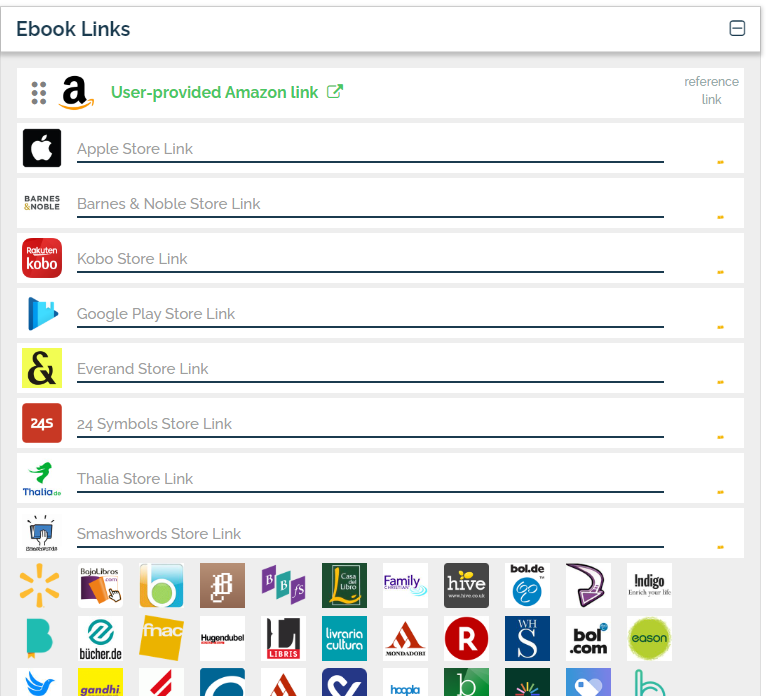
Distribute your ebook to Amazon, Apple Books, Kobo, and 40+ retailers — completely free.
Start Publishing FreeAffiliate link — we earn a small commission at no cost to you